A draft
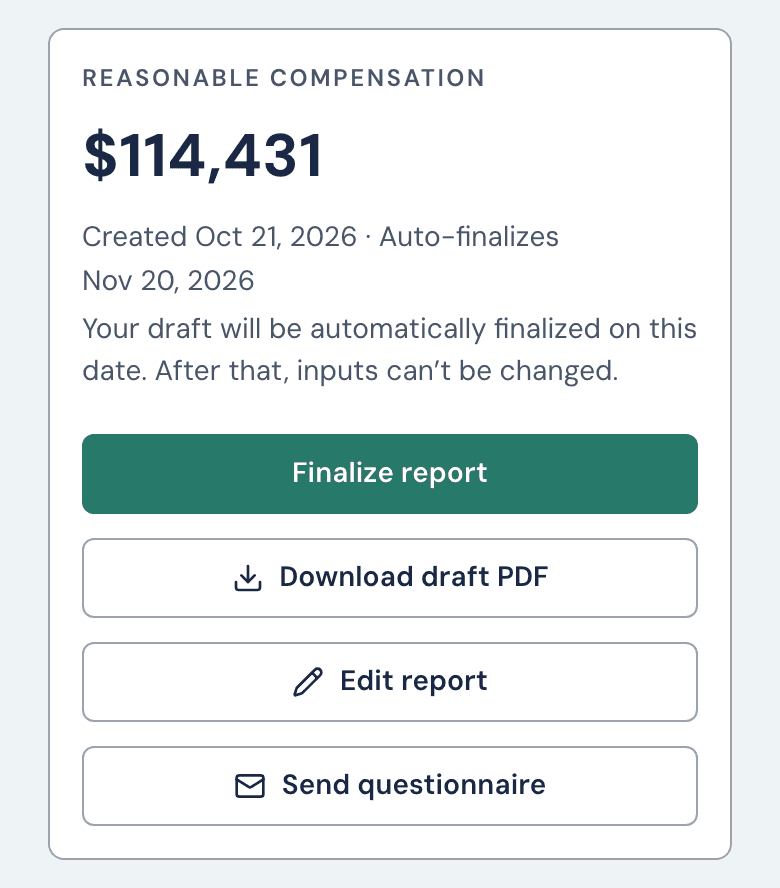
- Download draft PDF gives you the report marked DRAFT.
- Edit report opens the answers at Basic Info. Changing one removes the figure until you click Generate report again. Generating again doesn't use another report and starts a fresh 30 days.
- Deleting a draft that has a figure doesn't give its report back. If that was a mistake, email help@wageproof.com.
Finalizing
Click Finalize report and confirm. The DRAFT mark goes, and the figure, answers, letterhead and PDF are locked for good, and you can't undo it. To fix a final report, start a new one. Clone from a previous report copies its answers, and it uses one of your reports. For the same year, a warning comes first: click Start a new report.
Finalize can refuse in two cases. Your firm's logo can't load (upload it again on Branding), or a colleague is editing the report (Finalize names them).
The 30-day auto-finalize
The clock starts when you generate. The report shows "Auto-finalizes (date)". Seven days before, we email a reminder. After it finalizes, we email a receipt. Both go to whoever started the report (the Account owner if that person has left), never to your client.
Turn off Deadline reminder emails in Settings to stop reminders to you. The report still finalizes, and the receipt still comes.
Changing an answer clears the date, and a new 30 days start when you generate again. Reports for an archived client don't auto-finalize. If the date passes meanwhile, the report finalizes the night you click Restore client.
Prior-year reports
Years go back to 2021. Choose the year in Report year when you start. If the client already has a report with a figure, a Create Report pop-up comes first: choose the Tax year, then Start from scratch or Clone from a previous report, and click Create report. If the client already has a report for that year, a warning comes next: click Start a new report. Then a pop-up says "This uses 1 of your reports." Click Create report again, then check Report year, which shows the year you chose. The report uses BLS data for that year when BLS has published it, and states which data year it used.
Still stuck?
Email help@wageproof.com, or send us a message from the ? button on any page of the app.