Send it
- On the client's page, click Create client report, confirm, then click Send it to the client.
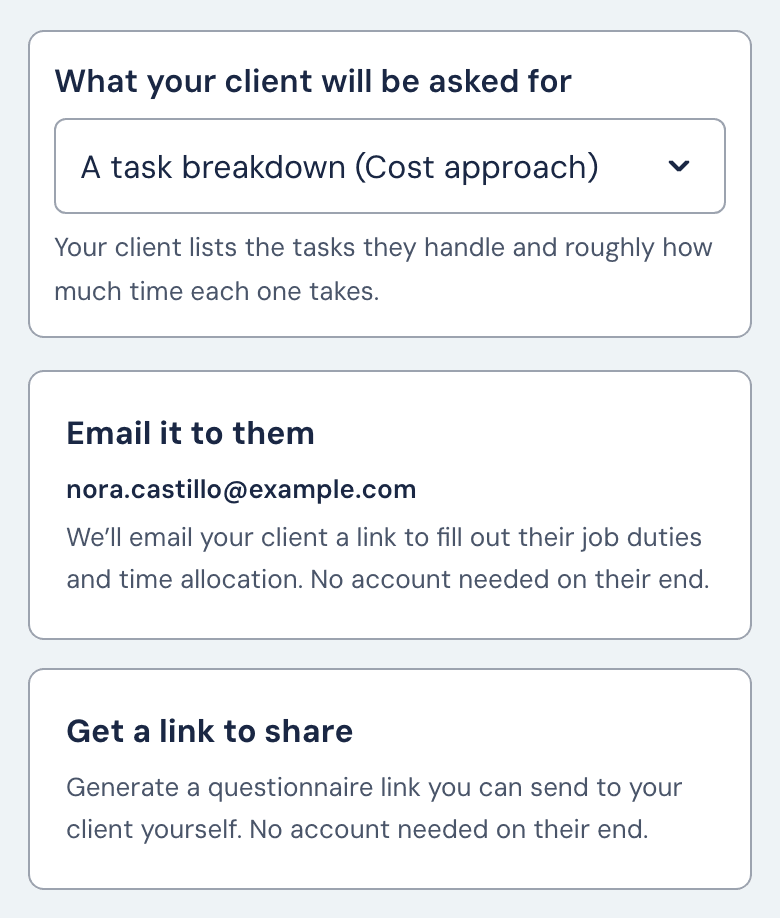
- Under What your client will be asked for, choose A task breakdown (Cost approach) or A single job title (Market approach) from the dropdown. Income reports can't be sent.
- Click Email it to them and confirm with Send email. The tile is greyed out until the client has an email; add one on the client's page with Edit. Or click Get a link to share and Copy it.
Sending and resending are free.
What your client sees
They get an email with a Complete questionnaire button, or your link. The form asks questions only, with no hourly rates. It takes about 10 to 15 minutes. Answers stay on their device until they click Submit. On a cloned report the form arrives pre-filled for them to review.
The link lasts 30 days
After 30 days the row shows Link expired and your client sees "This questionnaire has expired". Click Send questionnaire for a new link, or open the row's ⋯ menu and click Fill out myself. Archiving the client turns an unanswered link off at once, without telling them.
If the email didn't arrive
The row shows Not delivered.
- "The invitation bounced": click Edit email, fix the address, then Save and resend.
- "The invitation couldn't be sent": click Resend.
- Or click Copy link in the row's ⋯ menu and send it yourself.
A resend turns the old link off and starts a new 30 days.
If the row reads Awaiting client but your client says it never came, click Copy link on the row and send the link yourself. Fixing the client's email on their page doesn't send it again.
Taking it back before they answer
While the link is out, open the row's ⋯ menu and click Fill out myself. Confirm with Discard their answers. The link stops working, anything your client started is lost, and if they have an email on file they're told you withdrew the request.
When they submit
Whoever sent the link gets an email, and the row reads Ready to review. Click Review & generate and change any answer before you generate. To ask for changes instead, open the ⋯ menu, click Send back to client and send a new link the same way; it opens on their answers. A figure already generated goes until they resubmit and you generate again.
Still stuck?
Email help@wageproof.com, or send us a message from the ? button on any page of the app.